Code
dump
♻ Codump - Dumped codes ♻

♻ Scripts and snippets of code dumped to recycle over and over again. ♻

I wanted to share my codes with you all and the generations that come. Try and have fun with it! It gives me joy that I could help you create something. I'm happy you're one of the makers group. Trying to build codes and making a better world! ✌️😎

Discord.js basic Bot-Hosting.net server API slash commands

This snippet enables your Discord.js bot to interact with your Bot-Hosting.net server. It allows you to retrieve server information and execute commands such as start, restart, and stop directly from Discord.

1
2
3
4
5
6
7
8
9
10
11
12
13
14
15
16
17
18
19
20
21
22
23
24
25
26
27
28
29
30
31
32
33
34
35
36
37
38
39
40
41
42
43
44
45
46
47
48
49
50
51
52
53
54
55
56
57
58
59
60
61
62
63
64
65
66
67
const { SlashCommandBuilder, MessageFlags, AttachmentBuilder } = require('discord.js')
const { botServerId, botServerApiKey } = require('../config.json') // Or handle the botServerId and botServerApiKey in your own way
// Full options see: https://api.ptero.sh/#/ and https://bot-hosting.net/

module.exports = {
	data: new SlashCommandBuilder()
		.setName('botserver')
		.setDescription('Manage your bot server.')
    .addStringOption((option) =>
		option
			.setName('action')
			.setDescription('Select action to perform.')
			.setRequired(true)
			.addChoices(
				{ name: 'Info', value: 'info' },
				{ name: 'Start', value: 'start' },
				{ name: 'Restart', value: 'restart' },
				{ name: 'Stop', value: 'stop' },
			),
	  )
		.setDefaultMemberPermissions(0),
	async execute(interaction) {
    const action = interaction.options.getString('action')

    // info
    if (action == 'info') {
      fetch(`https://control.bot-hosting.net/api/client/servers/${botServerId}`, {
        method: 'GET',
        headers: {
          'Accept': 'application/json',
          'Content-Type': 'application/json',
          'Authorization': `Bearer ${botServerApiKey}`,
        },
      }).then((response) => {
        return response.json()
      }).then((json) => {
        const output = JSON.stringify(json, null, 2)
        if (output.length > 1900) {
          const attachment = new AttachmentBuilder(Buffer.from(output), { name: 'response.json' })
          return interaction.reply({ files: [attachment], flags: MessageFlags.Ephemeral })
        }
        return interaction.reply({ content: `\`\`\`json\n${output}\n\`\`\``,  flags: MessageFlags.Ephemeral })
      });
    }
    //info
    // start / restart / stop
    if (action == 'start' || action == 'restart' || action == 'stop') {
      fetch(`https://control.bot-hosting.net/api/client/servers/${botServerId}/power`, {
        method: 'POST',
        headers: {
          'Accept': 'application/json',
          'Content-Type': 'application/json',
          'Authorization': `Bearer ${botServerApiKey}`,
        },
        body: JSON.stringify({signal: action})
      }).then((response) => {
        if(response.status !== 204){
          return interaction.reply({ content: `Error: ${response.status}`,  flags: MessageFlags.Ephemeral })
        } else {
          return interaction.reply({ content: `Action: ${action} complete.`,  flags: MessageFlags.Ephemeral })
        }
      });
    }
    // start / restart / stop

	},
}

Check URL via VirusTotal API in Node.js

To scan URLs for bad content we can use the VirusTotal API. Bellow is a snippet that does exactly that. More info: https://docs.virustotal.com/docs/api-overview

1
2
3
4
5
6
7
8
9
10
11
12
13
14
15
16
17
18
19
20
21
22
23
24
25
26
27
28
29
30
31
32
33
34
35
36
37
38
39
40
41
42
43
44
45
46
47
const express = require('express')
const app = express()
const port = 3000

app.get('/', async (req, res) => {

  const responseUrl = await fetch("https://www.virustotal.com/api/v3/urls", {
    method: "POST",
    headers: {
      'Content-Type': 'application/x-www-form-urlencoded',
      'x-apikey': 'GET AND ENTER APIKEY' //  👈 YOU SHOULD DO IT!
    },
    body: new URLSearchParams({ url: "https://dutchflightcrew.nl" })
  });
  const dataUrl = await responseUrl.json();

  const analyses = `https://www.virustotal.com/api/v3/analyses/${dataUrl.data.id}`;
  try {
    const responseAnalyses = await fetch(analyses, {
      method: "GET",
      headers: {
        'Content-Type': 'application/x-www-form-urlencoded',
        'x-apikey': 'GET AND ENTER APIKEY'
      }});
    if (!responseAnalyses.ok) {
      throw new Error(`Response status: ${responseAnalyses.status}`);
    }

    const result = await responseAnalyses.json();

    if(result.data.attributes.stats.malicious > 0 || result.data.attributes.stats.suspicious > 0) {
      const show = `Your link has been refused! Malicious: ${result.data.attributes.stats.malicious} Suspicious: ${result.data.attributes.stats.suspicious}`
      res.send(show)
    } else {
      res.send(`ok`)
    }
  } catch (error) {
    console.error(error.message);
    res.send(`unknown error check console`)
  }

})

app.listen(port, () => {
  console.log(`Example app listening on port ${port}`)
})

Preview Image

Basic Express and EJS with API

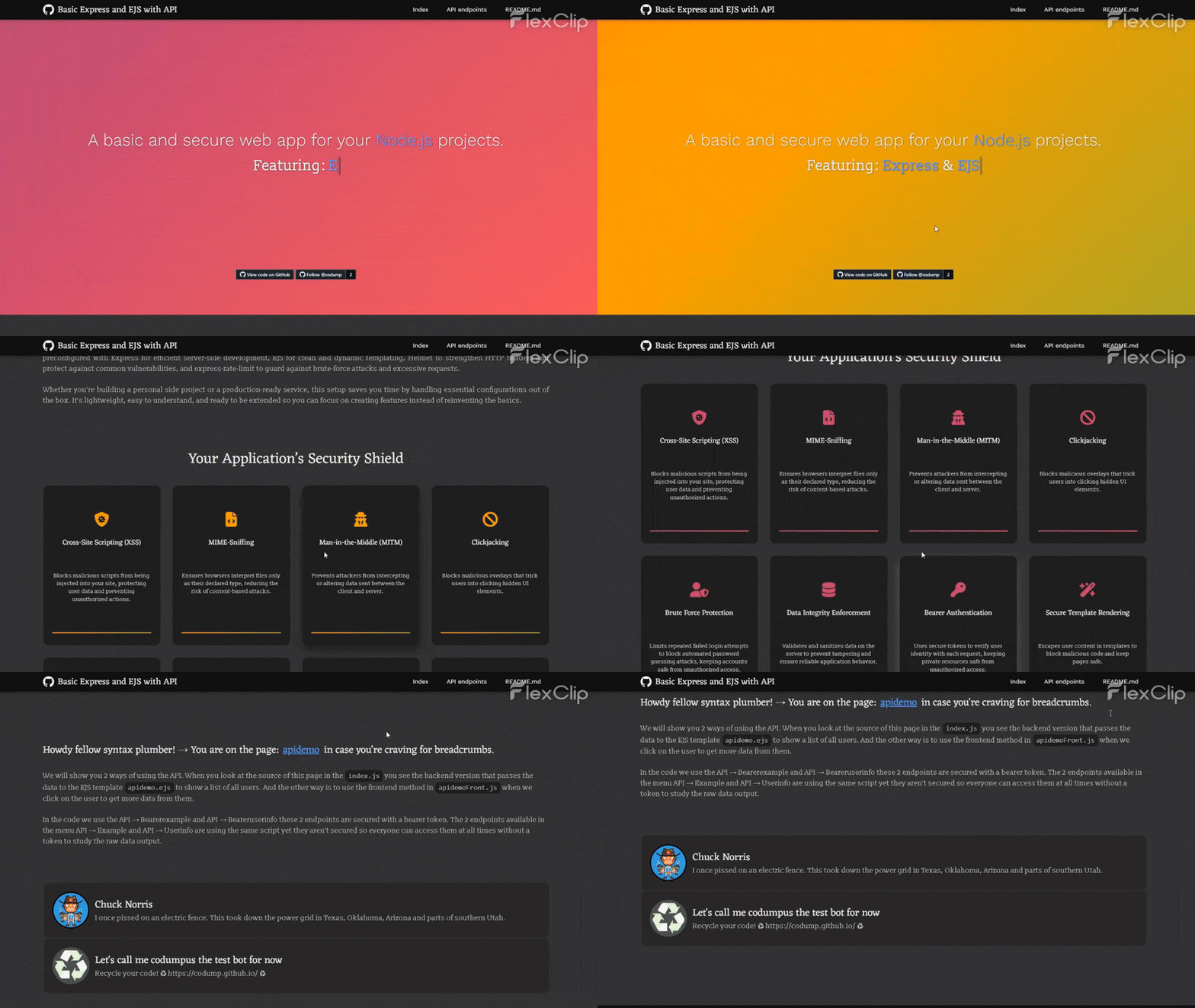
Kickstart your Node.js applications with a solid foundation that combines simplicity, performance, and security. This starter project comes preconfigured with Express for efficient server-side development, EJS for clean and dynamic templating, Helmet to strengthen HTTP headers and protect against common vulnerabilities, and express-rate-limit to guard against brute-force attacks and excessive requests. Whether you’re building a personal side project or a production-ready service, this setup saves you time by handling essential configurations out of the box. It’s lightweight, easy to understand, and ready to be extended so you can focus on creating features instead of reinventing the basics.


WordPress published and pending posts webhook to discord

I needed a WordPress to discord webhook plugin but those that were available didn’t work. So I made this snippet that will post to discord if there is a pending or published post. How to install: go to the wp-content/plugins/ folder and create a new folder called post-to-discord. Create a new file called post-to-discord.php and paste the snippet into it. Now you can go to your WP settings -> general and you will find 2 fields to submit the webhooks.

1
2
3
4
5
6
7
8
9
10
11
12
13
14
15
16
17
18
19
20
21
22
23
24
25
26
27
28
29
30
31
32
33
34
35
36
37
38
39
40
41
42
43
44
45
46
47
48
49
50
51
52
53
54
55
56
57
58
59
60
61
62
63
64
65
66
67
68
69
70
71
72
73
74
75
76
77
78
79
80
81
82
83
84
85
86
87
88
89
90
91
92
93
94
95
96
97
98
99
100
101
102
103
104
<?php
/*
 * Plugin Name: Webhook to Discord
 * Description: WordPress posts to Discord.
 * Version: 1.0
 * Author: Kip @ codump.github.io
*/
 
function post_to_discord($new_status, $old_status, $post) { 
  if(get_option('discord_webhook_url') == null) 
    return;
    
  if ( $old_status == 'publish' || $post->post_type != 'post')
    return;

  $id = $post->ID;
  $author = $post->post_author;
  $authorName = get_the_author_meta('display_name', $author);
  $postTitle = $post->post_title;
  $permalink = get_permalink($id);
  if($new_status == 'publish') {
    $message = $authorName . " just published \"" . $postTitle . "\" for your reading pleasure: " . $permalink;
    $webhookURL = get_option('discord_webhook_url');
  }
  if($new_status == 'pending') {
    $message = "New pending post: ".$authorName . " wants \"" . $postTitle . "\" to be reviewed: " . $permalink;
    $webhookURL = get_option('discord_webhook_url_pending');
  }

  $postData = array('content' => $message);

  $curl = curl_init($webhookURL);
  curl_setopt($curl, CURLOPT_CUSTOMREQUEST, "POST");  
  curl_setopt($curl, CURLOPT_POSTFIELDS, json_encode($postData));
  curl_setopt($curl, CURLOPT_HTTPHEADER, array('Content-Type:application/json'));
  curl_setopt($curl, CURLOPT_RETURNTRANSFER, true);
  curl_setopt($curl, CURLOPT_SSL_VERIFYHOST, 0);
  curl_setopt($curl, CURLOPT_SSL_VERIFYPEER, 0);
   
  $response = curl_exec($curl);
  $errors = curl_error($curl);        
     
  log_message($errors);
}
 
function log_message($log) {
  if (true === WP_DEBUG) {
    if (is_array($log) || is_object($log)) {
      error_log(print_r($log, true));
    } else {
      error_log($log);
    }
  }
}
 
add_action('transition_post_status', 'post_to_discord', 10, 3);
 
function post_to_discord_section_callback() {
  echo "<p>A valid discord webhook URL to a channel is required.";
}
 
function post_to_discord_published_input_callback() {
  echo '<input name="discord_webhook_url" id="discord_webhook_url" type="text" value="' . get_option('discord_webhook_url') . '"><br/>';
}
function post_to_discord_pending_input_callback() {
  echo '<input name="discord_webhook_url_pending" id="discord_webhook_url_pending" type="text" value="' . get_option('discord_webhook_url_pending') . '">';
}
 
function post_to_discord_settings_init() {
  add_settings_section(
    'discord_webhook_url',
    'Post published posts to discord',
    'post_to_discord_section_callback',
    'general'
  );
  add_settings_section(
    'discord_webhook_url_pending',
    'Post pending posts to discord',
    'post_to_discord_section_callback',
    'general'
  );
 
  add_settings_field(
    'discord_webhook_url',
    'Published webhook URL',
    'post_to_discord_published_input_callback',
    'general',
    'discord_webhook_url'
  );
  add_settings_field(
    'discord_webhook_url_pending',
    'Pending webhook URL',
    'post_to_discord_pending_input_callback',
    'general',
    'discord_webhook_url_pending'
  );
 
  register_setting( 'general', 'discord_webhook_url' );
  register_setting( 'general', 'discord_webhook_url_pending' );
}
 
add_action( 'admin_init', 'post_to_discord_settings_init' );

?>

Preview Image

Something totally different: F-16 checklist

I came across a fascinating simulation game known as DCS, a military flight simulator featuring an array of diverse airplanes and maps spanning the globe. To truly immerse yourself and derive enjoyment from the game, dedicating time to mastering a specific aircraft is essential. For me, that aircraft was the formidable F-16. This aircraft boasts numerous buttons and functions, contributing to its status as an epic platform within the game. To navigate the complexity, I initially relied on a paper cheat sheet. Today, I’ve embarked on the process of digitizing this information into a convenient checklist. Feel free to utilize this checklist by clicking the demo button below. Moreover, the code is available for your use in documenting your own projects if you wish.

Version push to cache in JavaScript

Sometimes we make changes in a CSS or JS file and it doesn’t show up. That’s because of the files being cached by the browser and it’s showing the old version. In PHP I had a variable that contains a version and echoed that behind the file path. In JS we can’t do exactly the same as we can not echo inline. So I made a snippet that’s using the same workflow of only changing 1 variable for all CSS and JS files. You only need to alter the value of pushVersion and it will refresh all CSS files with ?v=pushVersion in the file path. For JS files you need to addScript it on the bottom of the snippet to make it a dynamically loaded script with a version attached.

1
2
3
4
5
6
7
8
9
10
11
let pushVersion = "1.0.1d"
let baseUrl = window.location.href

Array.from(document.getElementsByTagName("link")).forEach((childLink) => { 
	const newHref = childLink.href.replaceAll('?v=pushVersion', `?v=${pushVersion}`)
	childLink.setAttribute('href', newHref)
})
const addScript = document.createElement("script")
addScript.setAttribute("src", `${baseUrl}/script.js?v=${pushVersion}`)
addScript.setAttribute("type", "text/javascript")
document.head.appendChild(addScript)

Woocommerce CSV import products as draft

I was helping a buddy with his Woocommerce webshop to import products via a csv file. The problem we encountered was that the products are imported and directly published. Therefor I made this snippet as a must-use plugin to import them as a draft. First create a new folder called mu-plugins inside the wp-content folder. Then create a new script inside the mu-plugins folder called draft-import.php and paste the snippet in it, save and u are done.

1
2
3
4
5
6
7
8
9
10
11
12
13
14
<?php
/*
Plugin Name: Import as draft
Description: CSV imported products are set to draft instead of published
Version: 1.0
Author: Kip @ codump.github.io
*/

add_filter( 'woocommerce_product_import_pre_insert_product_object', 'process_import', 10, 2 );
function process_import( $product, $data ) {
	$product->set_status( 'draft' );
    return $product;
}
?>

Close a menu or element when clicked anywhere

Often we have a menu, modal or any other element that we want to close when you click outside of it. Therefor this little snippet that’s using jQuery.

1
2
3
4
5
6
7
8
$('html').click(function (e) {
  var offTarget = $(".offTarget"); // you can add this class to button and menu so it stays clickable //
  if (!offTarget.is(e.target) && offTarget.has(e.target).length === 0) {
    if($('#menu').is(':visible')){
      $('#closeTrigger').trigger('click'); // simulate click on close button //
    }
  }
});

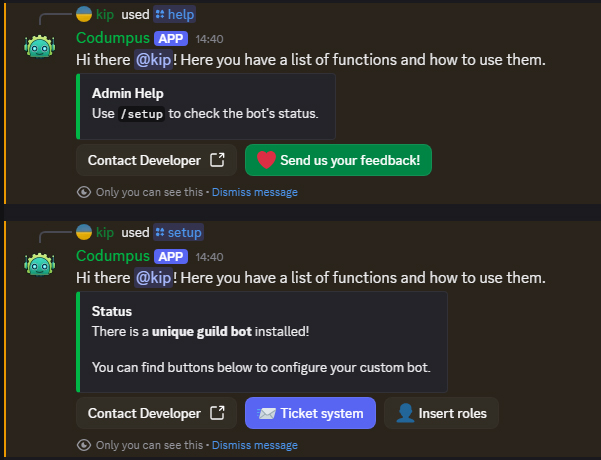
Discord.js v14 basic bot functions

For another project I wanted to write a discord bot. And in some development discords I have meet people having a hard time making one. So why not share it!? I made the bot public sooner then was planned to help those people. So it’s still in development.

Features
  • The new slash commands.
    • /serverinfo Information about the server.
    • /automsgmention Automated message with mention.
    • /code How to use code on discord.
    • /jsfiddle Ask to start a jsfiddle.
    • /kick Kick a member.
    • /ban Ban a member.
    • /warning Warn a member and store it in DB.
  • Auto roles.
  • Join and leave notification.
  • Notification when someone starts streaming on discord.
  • GitHub notifications. (Releases, push, pull and more depending on your gh webhook settings.)
  • Ticket channel system.

Looking for free bot hosting? https://codump.github.io/go/bot-hosting/

Codump | Cheers and enjoy recycling codes!
© 2022 -