Basic Express and EJS with API
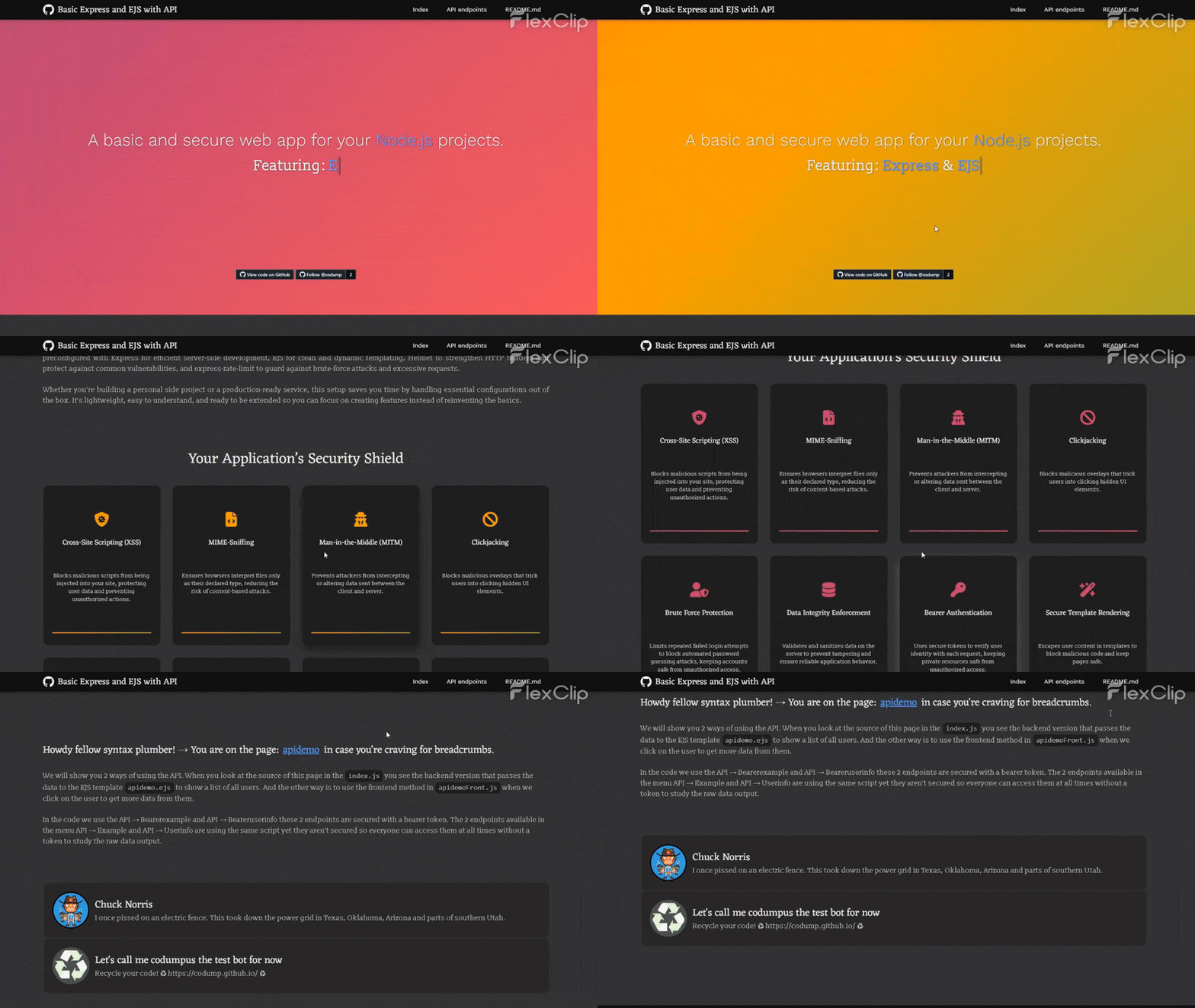
Kickstart your Node.js applications with a solid foundation that combines simplicity, performance, and security. This starter project comes preconfigured with Express for efficient server-side development, EJS for clean and dynamic templating, Helmet to strengthen HTTP headers and protect against common vulnerabilities, and express-rate-limit to guard against brute-force attacks and excessive requests. Whether you’re building a personal side project or a production-ready service, this setup saves you time by handling essential configurations out of the box. It’s lightweight, easy to understand, and ready to be extended so you can focus on creating features instead of reinventing the basics.
Getting Started
- Rename
empty-config.jsontoconfig.jsonand fill in your settings. - Install dependencies:
npm install - Start the server:
npm start
Core Dependencies
- express – Web framework for Node.js
- ejs – View template engine
- helmet – Adds security headers
- express-rate-limit – Controls request rate
- express-xss-sanitizer – Prevents XSS attacks
- express-validator – Validates incoming data
- jsonwebtoken – Create and verify JWTs
- express-jwt – JWT authentication middleware
Note: Only the Deluxe version is available for now.
Deluxe Extras
- @codump/conlog – Console management
- markdown-it – Markdown parsing
- highlight.js – Syntax highlighting
Emulated Data Mode
When enabled in config.json (“emulateData”: true), the app serves JSON-based mock data when API responses are empty. This is useful for development when the live feed is unavailable.
⚠ Caution: Misconfiguration can overwrite live data.
Specific parts of the code
Helmet
This part can be tricky for beginners. Even if your code is correct, it may fail because the browser blocks connections to unlisted sources. To fix this, add the required source URLs to the configuration shown below. Reference
1
2
3
4
5
6
7
8
9
10
11
12
13
14
15
16
17
18
19
20
21
// Security headers, blocks all content thats not from the server itself or listed sites
app.use(
  helmet({
    contentSecurityPolicy: {
      directives: {
        'default-src': "'self'",
        'script-src': "'self'",
        'connect-src': ["'self'"],
        'style-src': ["'self'", "fonts.googleapis.com", "fonts.gstatic.com", "cdnjs.cloudflare.com"],
        'img-src': [
          "'self'",
          'data:',
          "github.githubassets.com"
        ],
        'frame-src': ["'self'"],
        'worker-src': ["'none'"],
      },
    },
  }),
);
// Security headers
express-rate-limit
To adjust the rate limit or time window, modify the configuration below. You can also create a separate const limiterExtraSecure with stricter settings for sensitive API endpoints where you want to further limit requests. Reference
1
2
3
4
5
6
7
8
9
// Rate limiter
const limiterDefault = rateLimit({
  windowMs: 15 * 60 * 1000, // 15 minutes
  limit: 100, // Limit each IP to 100 requests per `window` (here, per 15 minutes).
  standardHeaders: 'draft-8', // draft-6: `RateLimit-*` headers; draft-7 & draft-8:   combined `RateLimit` header
  legacyHeaders: false, // Disable the `X-RateLimit-*` headers.
  ipv6Subnet: 56, // Set to 60 or 64 to be less aggressive, or 52 or 48 to be more  aggressive
})
// Rate limiter